oklv App: Download the APK and Play in Taka on Android
The oklv app is the whole account in one 58 MB file. Same lobby, same ৳200 minimum deposit, same bKash and Nagad cashier, no browser tab in the way.
- Free download, no subscription
- Android 7.0 and newer
- English and Bangla menus
- 24/7 live chat inside the app
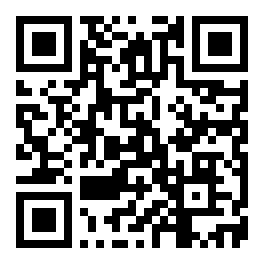
On a computer? Scan the code with your phone camera and the file lands on the handset. No scanner app and no Play Store detour needed.
Five Steps From Download to First Spin
The whole install takes about a minute on a phone with a steady connection. Do it on Wi-Fi if you are near the end of your data pack.
-
1
Check the phone
Open Settings, then About phone, and read the Android version. You need 7.0 or later and roughly 120 MB of free storage, so the 58 MB file has room to unpack and run.
-
2
Allow one source
Android blocks files from outside the Play Store. When your browser asks, tap Settings and switch on Allow from this source for that browser only, then switch it off again after the install.
-
3
Download oklv.apk
Tap the Download APK button on this page. Chrome may warn that the file could harm your device; that is the standard notice for any sideloaded app. Choose Download anyway and wait for it to finish.
-
4
Install and open
Tap the finished download. The package installer lists what the app needs, so tap Install, then Open. If Play Protect shows a scan prompt, choose More details and Install anyway. First launch builds the lobby for a few seconds.
-
5
Sign in and deposit
Use the number or username you already have, or register a new account inside the app. Add at least ৳200 through bKash, Nagad or another method and the 230% first deposit bonus is credited.
On iPhone: add oklv to the home screen instead
There is no iOS build of the oklv app yet, so there is no file to install. Safari can pin the site so it opens full screen, close to an app.
- Open the site in Safari itself, not inside a social app's built-in browser.
- Tap the Share button, scroll the list and choose Add to Home Screen.
- Name the shortcut oklv and confirm with Add.
- Open it from the new icon and log in once. Safari keeps the session, but push alerts are not available.
App Build or Browser Tab: Which One to Use
Both routes reach the same account and the same balance. The difference is how much work your phone does to get you there.
| What you are doing | In the oklv app | In the browser |
|---|---|---|
| Opening the lobby | Drops you on the lobby with your last game on the top row | Loads the homepage, promo banners and fonts first |
| Staying signed in | Stays signed in until you log out | Often asks for the password again when the tab sleeps |
| Cashier | bKash and Nagad confirm inside the app window | Opens the wallet in another tab and loses your place |
| Live dealer video | Built-in player, one tap from the table list | Depends on the browser's video support and memory |
| Game library | All 3,700 titles, with favourites kept on the home row | Same library, but filters and favourites reset each visit |
| Alerts | Push notes for bonus credit, cashback and withdrawal status | Nothing unless you opt into browser notifications |
| Storage used | 58 MB install plus a cache that clears itself | Nothing installed, but images are re-fetched every session |
| Updates | You install the new APK over the old one | Always the current build, updated on the server |
If you log in once a week from a desk, the browser is fine. If you follow cricket markets through the evening on 4G, the app keeps the session alive and saves the reload.
What the APK Asks For, and How to Stay Safe
A file from outside the Play Store deserves a second look. Four checks cover almost everything that matters when you install the oklv app on a shared or second-hand phone.
- Take the file from oklv.team only. Copycat mirrors rename the package and keep the icon. The real download is exactly 58 MB and saves as oklv.apk, so check the name and size in your Downloads folder before you tap it.
- Permissions stay narrow. The app asks for internet access, storage for game graphics, and notifications if you want them. It does not need your contacts, SMS inbox or camera, so decline anything else that appears.
- Play Protect will raise a flag. That message appears for every app installed without the store, not just this one. Tap More details and Install anyway, then run a scan from your phone's security settings once it finishes.
- Protect the account, not only the device. Never share a login code with anyone, including someone who claims to be from support. Our team never asks for your password. Keep a screen lock on the phone and log out before lending it.

oklv App File Details and Android Requirements
Everything below comes from the current build. If a download page shows a different size or version, it is not ours.
| Item | Detail |
|---|---|
| Version | 3.1.13 |
| File size | 58 MB |
| Minimum Android | Android 7.0 |
| Last updated | 9 November 2026 |
| Price | Free |
| Languages | English and Bangla |
| Free space to keep | About 120 MB, including cache |
| Downloaded from | oklv.team |
Old phones with 16 GB of storage usually fail for space rather than speed. Clear a few videos, then install. Android 6 and older cannot run this build at all, so use the mobile site on those handsets.
Slots, Live Tables and Crash in Your Pocket
See the full casinoThe app carries all 3,700 games from CQ9, Pragmatic Play, Habanero, Ezugi and Sexy Gaming. Filters sit at the top of the lobby, so you can narrow the list to crash rounds, fishing titles or live tables before your tea gets cold.
Bets start as low as ৳1, which suits a quick session on a break. Two of the titles players open most often are below.


Built for Taka: What the App Adds
Cashier tuned for bKash
Pick bKash, Nagad, Rocket, Upay or bank transfer, confirm the prompt and the balance moves. Deposits usually clear in 2 minutes and withdrawals in 3, with ৳200 to start and ৳800 to cash out.
Crash rounds with a cash-out button
The curve climbs, you tap once and the stake is locked. Set an auto cash-out target before the round starts so a dropped connection cannot cost you the multiplier you were waiting for.
Favourites that stay put
Star a title once and it moves to the top of the lobby on every visit. With 3,700 games across five studios, that shortlist matters more than the search bar after the first week.
Cricket and football in one slip
Build a slip of several markets on the same match, check the combined return, then place it in one tap. Live prices refresh inside the app rather than in a separate tab that has to reload.
Bonuses credited without a code
The 230% first deposit bonus up to ৳26,000, the 28% reload offer and 0.5% daily cashback all apply from the cashier. The ৳475 referral credit appears once your friend deposits and plays.
Language and data controls
Swap between English and Bangla from settings, and turn on low-data mode if you pay per gigabyte. Slots and crash rounds stay light; live dealer tables are the part worth saving for Wi-Fi.
When the Install Fails: Fixes That Work
Most failed installs come down to one of five causes. Check the message on screen against the table before you download the file again.
| What you see | Likely cause | Fix |
|---|---|---|
| "App not installed" | An older oklv build with a different signature is still on the phone | Uninstall the old icon, restart the handset, then run oklv.apk again. Keep at least 120 MB free before you retry. |
| File saves as oklv.bin or opens as text | The browser renamed the download, or a file manager claimed the extension | Rename it to oklv.apk inside Downloads, or open Chrome, download again and tap the finished notification instead of the folder. |
| Play Protect calls the app unsafe | Standard warning for any package installed outside the Play Store | Tap More details, then Install anyway. Confirm the file is 58 MB and version 3.1.13; if the size differs, delete it and download from this page. |
| Install button is greyed out | Android below 7.0, no free storage, or a work profile blocking installs | Check the Android version in Settings, clear space, and install from a personal profile rather than a managed one. |
| Login fails right after install | Number typed without the 01 prefix, or the code is still in transit | Enter the full 11-digit number, wait 60 seconds before asking for a new code, and use the login page or live chat if it never arrives. |
Straight Answers Before You Install
Is the oklv app APK safe to install?
Do I have to enable unknown sources every time?
I have an older oklv app. Should I remove it first?
How do I update to a newer build?
Can I use the app on an iPhone?
Will the app eat my mobile data?
Can I deposit and withdraw with bKash inside the app?
oklv App Answers for the Weeks After You Install
Six things players ask once the icon is sitting on their home screen.